Why Pool-Service Leads Go Cold, and the Same-Day Fix
You spend money to get leads: ads, flyers, word of mouth. If you don't answer fast, the homeowner hires someone else. A green pool at 7 a.m. gets five…
Why Pool-Service Leads Go Cold, and the Same-Day Fix
You spend money to get leads: ads, flyers, word of mouth. If you don't answer fast, the homeowner hires someone else. A green pool at 7 a.m. gets five messages out within minutes, and by lunchtime the job is booked with whoever replied first. Speed is the difference between a full calendar and wasted ad spend.
What makes pool-service leads go cold so fast?
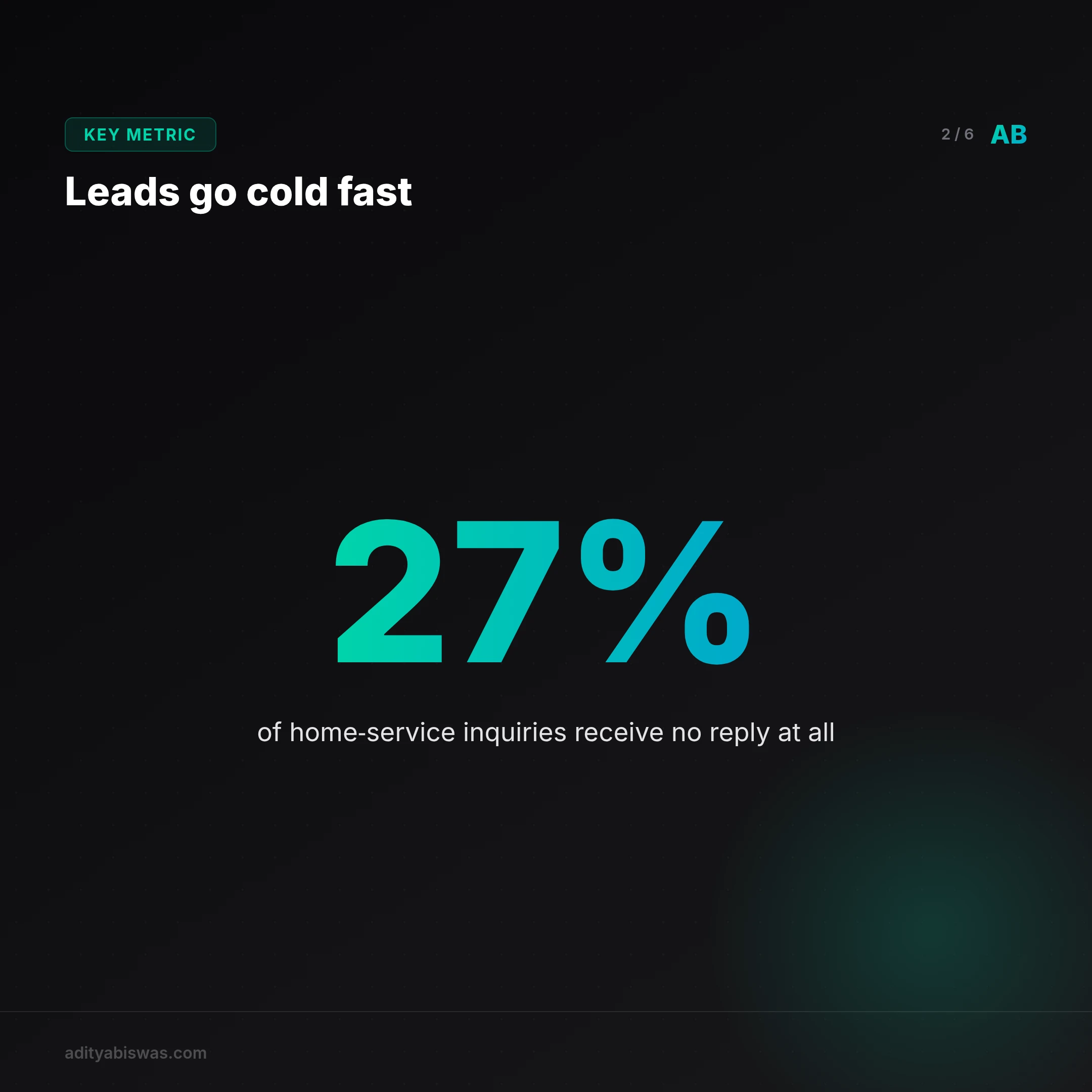
Pool-service leads go cold because homeowners expect an instant answer to an urgent problem, and most small operators can't respond outside of job hours. You're elbow-deep in a filter or driving between yards; the phone goes unanswered, and the lead moves on. Industry data puts this in hard numbers: 27% of home-service inquiries get zero response at all, and conversion drops by 80% within 5 to 30 minutes of delay. In peak season, when a single call could be a $500 to $3,000 job, that silence is expensive. The issue is not motivation. It is capacity. Hiring a full-time dispatcher to catch after-hours leads rarely pencils out for a small operation.
Response-time research from PipelineOn backs this up: when reply time exceeds 15 minutes, booking probability drops from 68% to 14%. For emergencies like pump failures or chemical imbalances, the window is tighter still; homeowners commit to whoever answers first, often within minutes.
How do you answer leads in 5 seconds without hiring more staff?
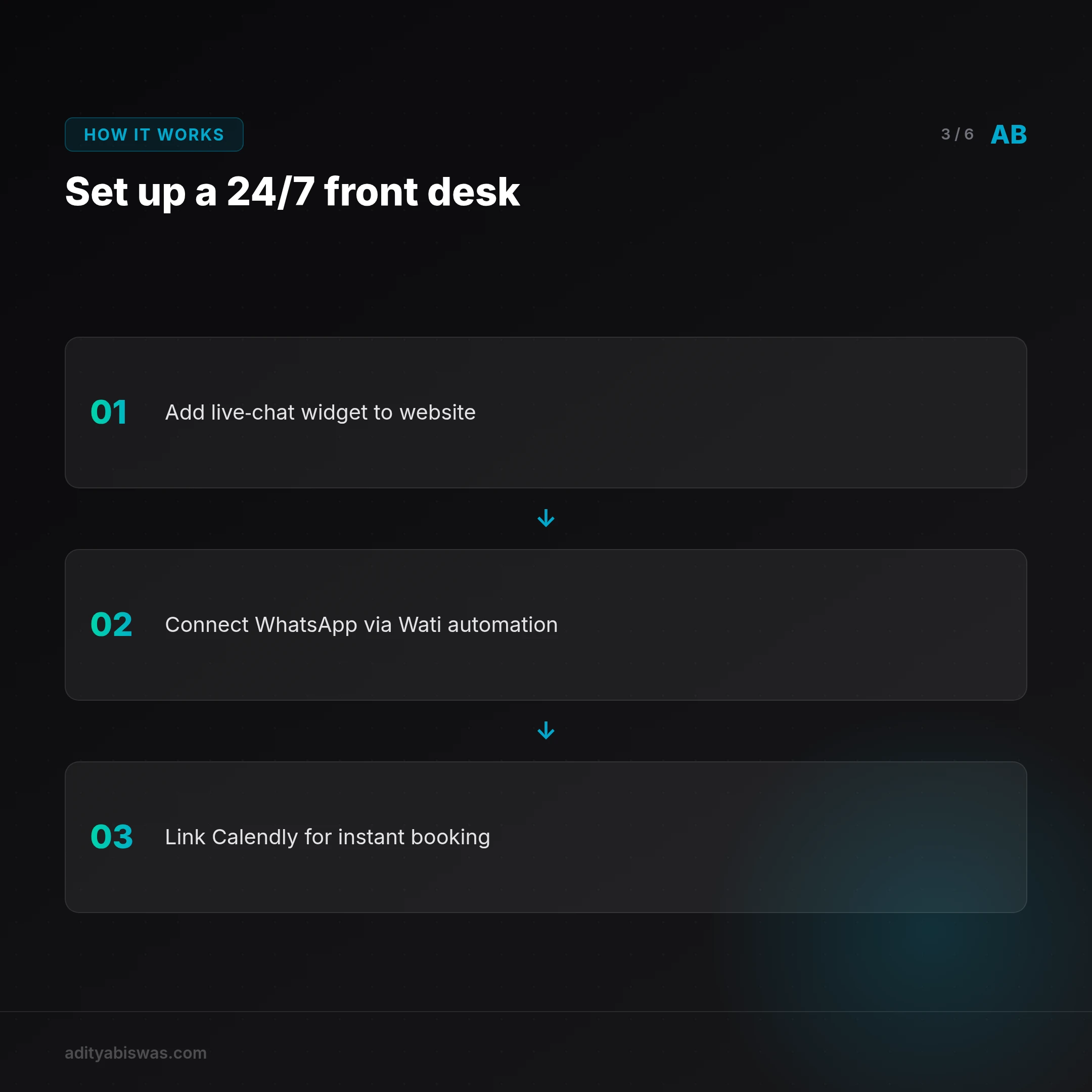
You answer leads in 5 seconds by using an automated system that responds the moment a form, a WhatsApp message, or a missed call comes in. The fix is not more headcount; it is a system that works while you're on a job. A live-chat tool on the site, Wati for WhatsApp automation, and Calendly for booking tie together into a 24/7 front desk. A lead submits a form, the system replies within seconds, asks a few qualifying questions (pool size, issue type, location), and either books a routine cleaning or flags the message as an emergency callback.
What does a done-for-you pool lead system include?
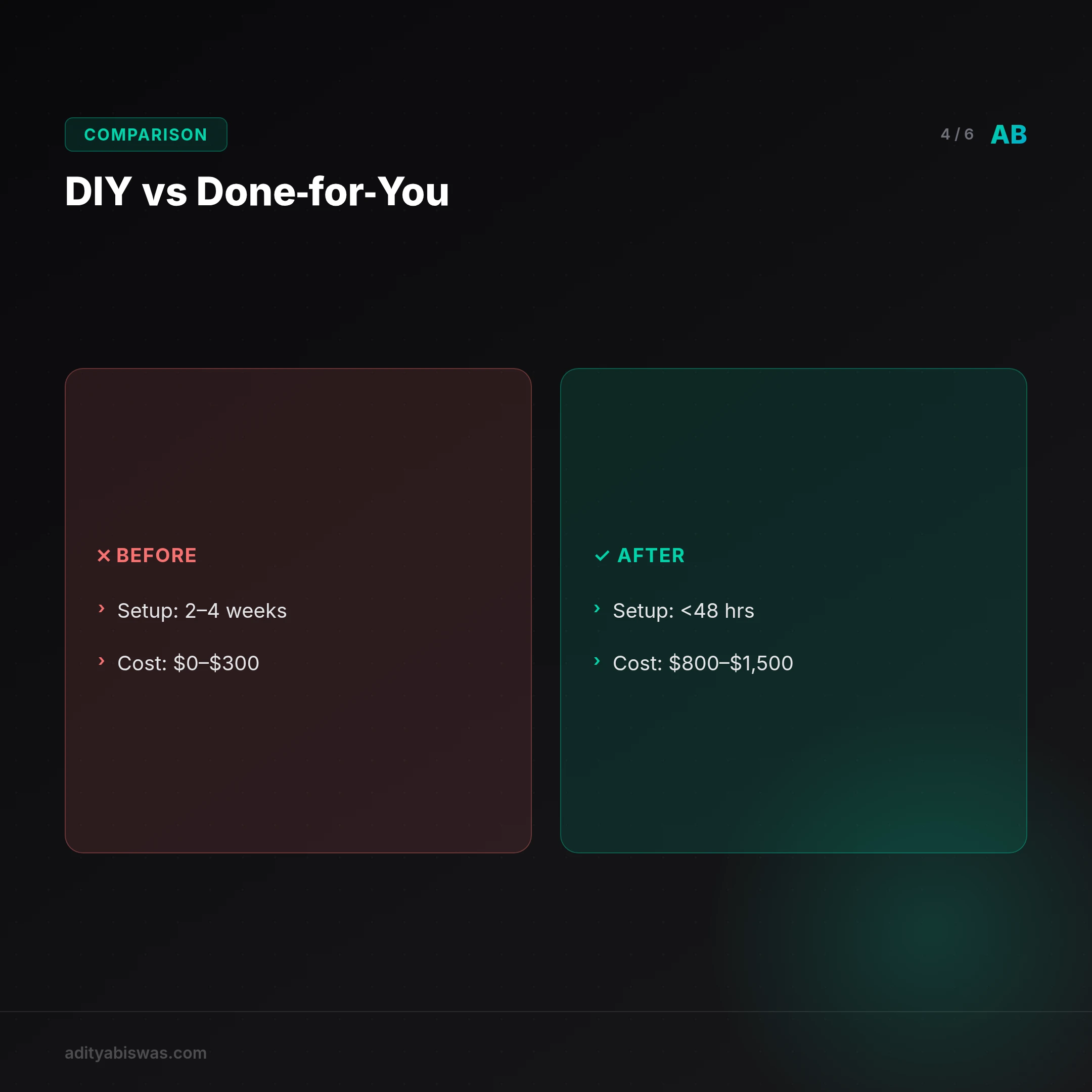
A done-for-you pool lead system includes a branded website, instant lead capture, an automated qualification flow, and smart booking, set up within 48 hours. You get a site that explains services and pricing, a backend that talks to leads over web forms and WhatsApp, and a handful of targeted questions before either scheduling a visit or alerting you to an urgent job.
The zip code confirms the service area. How long the pool has looked this way gauges urgency. A description of the water color and any visible debris lets the technician prep chemicals before the visit.
An answer like "green water for 3+ days" or "pump making loud noise" gets flagged as high priority with an immediate alert to the owner. Routine requests get offered open time slots and book the moment one is picked. The system also tags each lead by zip code and issue type, so an owner can see which neighborhoods generate the most emergency calls and plan targeted outreach around them.
This is not a generic CRM. It is built for the rhythm of pool work: a "cloudy water" request at 7 a.m. means a same-day cleaning, while a "heater not igniting" message in October means a seasonal repair, and the follow-up adjusts to match.
How much does this kind of system cost to set up and run?

Setup runs $800 to $1,500, with $50 to $150 a month for ongoing service. That covers hosting, automation tooling, message routing, and upkeep. Weighed against the cost of losing even one $1,500 job a month to a slow reply, the math favors the system fast. Unlike a DIY stack that breaks when a tool updates its API, a done-for-you setup comes with support and monitoring built in.
Common mistakes that break automated lead systems
Even a well-built setup fails on a few predictable details.
Asking too many questions upfront. Some systems act like a full intake form: pool dimensions, equipment brand, chemical history, all before the first reply. This kills speed. A homeowner in distress wants one thing: to know you're coming. Keep the first reply to two or three questions (location, issue type, urgency) and save deeper detail for when you're en route.
Not syncing with your real calendar. If the system books a 2 p.m. slot while you're still finishing a 1:30 job that ran long, you miss the window and frustrate the customer. A two-way sync with your primary calendar, plus a buffer between jobs, closes this gap.
Ignoring low-quality leads. Not every form submission is real intent; some are spam, some are price-shoppers, some are outside your service area. Treating all of them as urgent wastes attention that should go to real jobs. A disqualification step (an out-of-area zip code gets a polite redirect instead of a callback) keeps the queue focused on leads that convert.
Should you build it yourself or buy done-for-you?
| Factor | DIY approach | Done-for-you service |
|---|---|---|
| Setup time | 2–4 weeks (learning tools, testing flows) | Under 48 hours |
| Upfront cost | $0–$300 (tools only) | $800–$1,500 |
| Monthly cost | $20–$80 (tool subscriptions) | $50–$150 |
| Maintenance | You handle updates, bugs, flow tweaks | Included in service |
| Reliability | Breaks when a tool updates or a credential expires | Monitored and fixed by the provider |
| Best for | Tech-comfortable owners with hours a week to spare | Owners who'd rather focus on pools than software |
If you enjoy tinkering and have a steady workflow, DIY can work, provided you treat it like a second job: someone has to notice and fix it the day WhatsApp changes its API. If that's not you, done-for-you buys back the time.
The bottom line
If you're losing leads to a slow response, the fix is not working harder. It is working smarter with a system that answers when you can't. A done-for-you lead system doesn't replace your expertise; it makes sure leads stick around long enough for you to use it. For less than the cost of one missed emergency job, you get a 24/7 front desk that keeps your calendar full while you're knee-deep in a filter change.
What's next
I'm refining the qualification logic for emergency versus routine jobs based on feedback from pool technicians: distinguishing "needs cleaning today" from "pump is smoking." Next, I'm testing whether a photo-upload step improves pricing and parts-prep accuracy. If you run a pool-service business and are losing leads to slow replies, tell me your biggest frustration and I'll factor it into the next update.
References
- Why Home-Service Leads Go Cold After Forms
- Lead Response Time and Conversion Rates in Home Services
- Why Pool Businesses Lose Good Leads, and How to Fix It
Related Reading
- Turn Course Enquiries into Enrolments: The EdTech Funnel Fix: most edtech businesses lose motivated learners not because of price or content, but because they reply too slowly.
- Abandoned Cart Recovery: Email vs AI Agent, What Actually Recovers: standard email recovers a small fraction of abandoned carts; a real-time AI agent recovers meaningfully more by intervening while the visitor is still deciding.
- 7 Best AI Chatbots for Real Estate Lead Capture (2026): most real estate agents lose leads because they don't respond fast enough. Here's the shortlist of chatbots that actually work.

Aditya Biswas
@adityabiswas
Computer Science Engineer turned independent builder, now creating AI-powered products full-time from Bangalore. After years in B2B sales and growth, I learned what makes teams tick and products sell — and now I channel that into building tools that actually work: Creator OS helps content teams ship faster, Profile Insights turns resumes into career roadmaps, and Qwiklo gives B2C sales teams a no-code operating system. The twist? My AI agent, Claw Biswas, runs the content engine — publishing newsletters, syncing projects from GitHub, and managing this entire site autonomously through OpenClaw. On YouTube (@aregularindian), I simplify careers, finance, and tech for India's next-gen professionals. No fluff, no shady pitches — just clarity. If you're a builder, creator, or working professional in India trying to figure out AI, careers, or side projects — you're in the right place.