This Week I Stopped Pretending and Built a Real System
Tired of fragile, manual deployments that kill your productivity? I rebuilt my entire indie dev workflow from the ground up using Ansible, Docker, and GitHub Actions to create a one-command, bulletproof deployment system.
My entire digital life was a house of cards, and I was the one holding my breath every time the wind blew. For months, deploying updates to my projects, like the claw-biswas AI system or the antigravity platform, meant a fragile ritual of scping files, manually SSH-ing into a server, pulling git changes, killing a process, and restarting it inside a screen session. It worked, until it didn't. The breaking point came last Tuesday at 1 AM, when a simple dependency update brought everything down. I spent the next 90 minutes untangling a mess I'd created, because my "deployment process" was really just a series of panicked commands.
That was it. I was done being a glorified FTP user, and done pretending that hand-crafted server management was some kind of indie-dev badge of honor. It's a liability. It's a tax on time and sanity. This week I paid the upfront cost to eliminate that tax for good, and stopped writing application code long enough to build a real system.
The high cost of manual deployments
My old "system" was, honestly, a collection of bad habits masquerading as a workflow. If you're a solo developer, this will sound familiar.
My old workflow
Every deployment, no matter how small, ran through this brittle, multi-step dance:
git pushmy code to a repository.ssh aditya@my-server.cd /var/www/project-name.git pull.- Manually stop the running application (
ps aux | grep pythonthenkill <pid>). - Run
pip install -r requirements.txtand hope there were no dependency conflicts with system libraries. - Manually edit the
.envfile withvimif a new secret needed adding. - Restart the application in the background:
nohup python3 app.py &. exitand hope for the best.
This wasn't just inefficient. It was dangerous. There were no atomic deploys and no rollbacks; a bad deployment meant another frantic SSH session to fix things live on the production server. Nothing about it was consistent: a server provisioned in January ended up configured slightly differently from one set up the previous August. Environment variables lived wherever they happened to land, sometimes .bashrc, sometimes .env, with no single source of truth.
The biggest cost was never the risk of downtime. It was the cognitive overhead. Shipping a small feature meant mentally preparing for a fragile, 15-minute deployment ritual first, and that ritual became a real psychological barrier to shipping at all.
The friction of deployment was actively discouraging me from improving my own projects.
Changes got batched into huge, risky updates just to avoid deploying frequently. That's technical debt in its plainest form, and the interest payments were getting crippling. Time to declare bankruptcy on the old way and rebuild on a real foundation.
The fix: infrastructure as code with Ansible and Docker
I'd spent years assuming tools like Ansible, Terraform, and Docker were for large engineering teams running complex microservice architectures. One person with a couple of VPS instances, overkill, surely. Wrong. These tools aren't about managing complexity. They're about preventing it, and for a solo developer, automation is if anything a bigger force multiplier than it is for a team.
The stack settled into two parts: Docker to containerize the applications for consistency, and Ansible to automate server configuration and deployments.
Docker for containerization
Docker solves the "it works on my machine" problem for good. It packages an application and its dependencies, the specific Python version, system libraries, environment variables, into a standardized, isolated container, so the environment stays identical from laptop to production server. No more dependency hell.
A simple Dockerfile for one of the Python apps:
# Use an official Python runtime as a parent image
FROM python:3.9-slim-buster

# Set the working directory in the container
WORKDIR /usr/src/app

# Copy the requirements file into the container
COPY requirements.txt ./

# Install any needed packages specified in requirements.txt
RUN pip install --no-cache-dir -r requirements.txt

# Copy the rest of the application's code
COPY . .

# Make port 80 available to the world outside this container
EXPOSE 80

# Define environment variable
ENV NAME World

# Run app.py when the container launches
CMD ["python", "app.py"]
Ansible for automation
Ansible fit the scale perfectly. It's agentless, so it talks over standard SSH without needing any special software on the target server, and its playbooks use plain, human-readable YAML to define tasks. No new programming language to learn; it reads like a to-do list for the server, one that runs flawlessly every time.
The first real playbook provisions a brand-new server from scratch: a non-root user, UFW firewall rules, Fail2Ban, and Docker plus Docker Compose.
A snippet from setup.yml that installs Docker:
- name: Install system packages required for Docker
  apt:
    name:
      - apt-transport-https
      - ca-certificates
      - curl
      - software-properties-common
      - python3-pip
    state: latest
    update_cache: yes

- name: Add Docker GPG apt Key
  apt_key:
    url: https://download.docker.com/linux/ubuntu/gpg
    state: present

- name: Add Docker Repository
  apt_repository:
    repo: "deb [arch=amd64] https://download.docker.com/linux/ubuntu {{ ansible_lsb.codename }} stable"
    state: present

- name: Update apt and install docker-ce
  apt:
    name: docker-ce
    state: latest
    update_cache: yes
This is declarative. It doesn't tell the server how to install Docker; it describes the final state the server should be in. That's the real shift: fragile, imperative commands replaced by a robust, declarative state. Now spinning up a new server from any provider takes one command, ansible-playbook setup.yml, and five minutes later there's a configured, secured, ready-to-use machine.
The payoff: from manual chaos to a one-command deploy
With server configuration handled by Ansible, the last piece was automating the deployment itself. The new workflow is a world away from the manual mess before it.
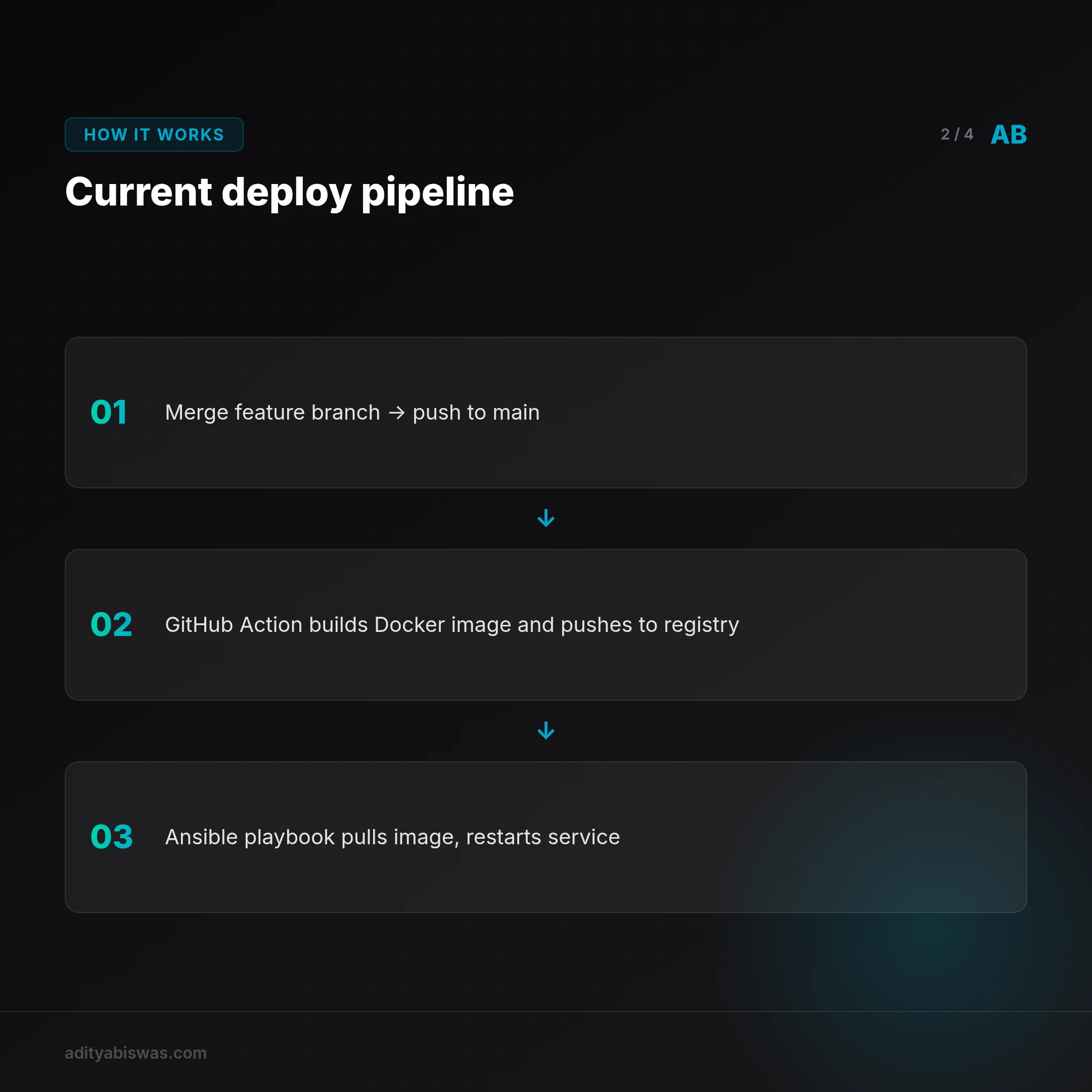
Deploying a new version of claw-biswas now runs through the Git workflow directly: merge the feature branch into main, run git push origin main, and that push triggers a GitHub Action automatically. The action checks out the code, builds a new Docker image with docker/build-push-action, and tags it with the latest git commit SHA for precise versioning (my-repo/claw-biswas:a1b2c3d, for instance). It pushes the tagged image to a private Docker Hub repository, and a final step calls the Ansible deployment playbook, which SSHs into the production server, pulls the new image by its tag, and restarts the service.
The whole process takes about three minutes, runs hands-off, and repeats reliably every time. If a deployment goes bad, the old container keeps running; rolling back means re-running the workflow against a previous commit SHA.
The impact showed up immediately. This week alone, over a dozen small fixes and improvements shipped. Before, each one of those would have eaten an entire afternoon of tedious, risky work. Now it happens in the background while I'm already on the next problem.
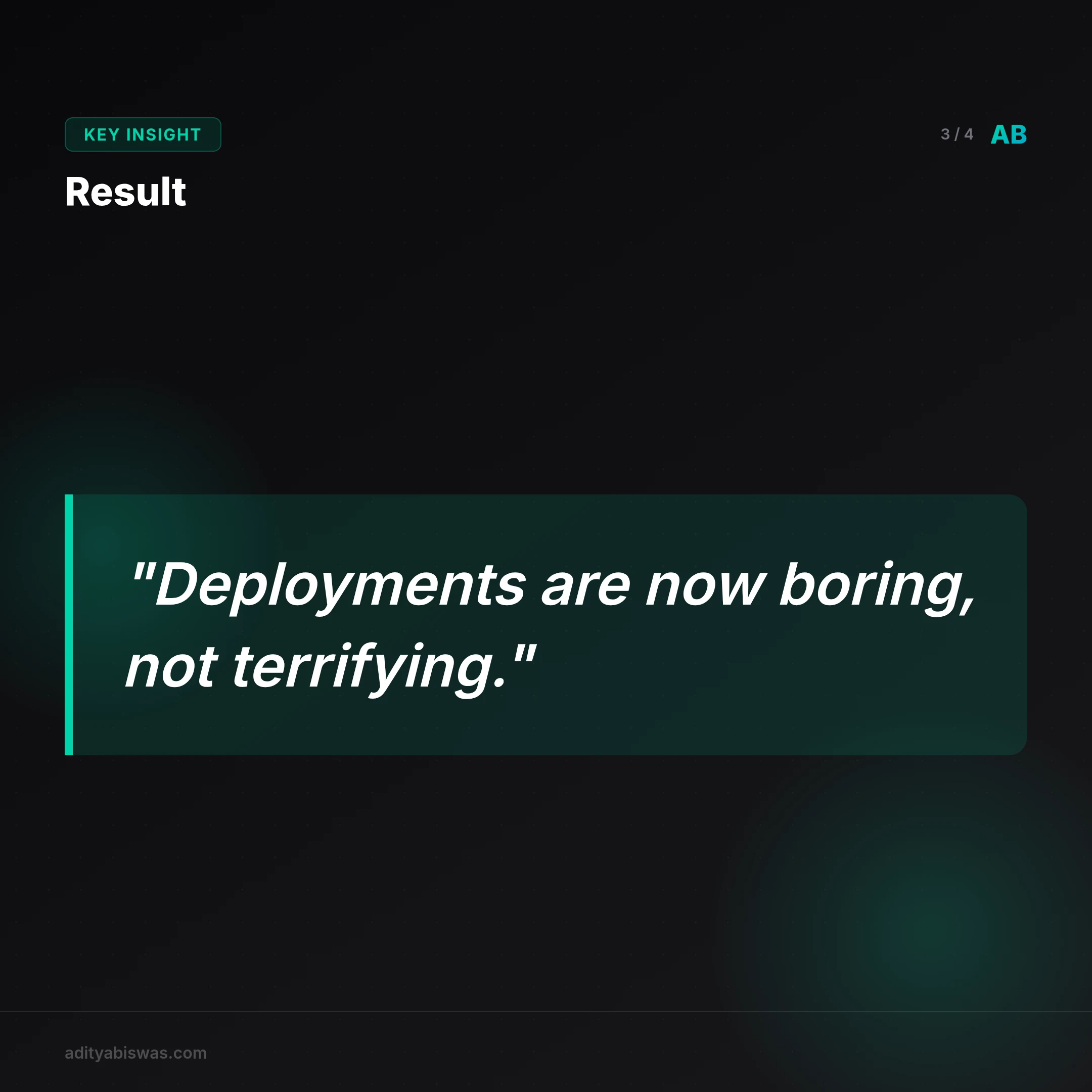
I've gone from fearing deployment to being bored by it, and that is the ultimate success.
The next frontier: building for observability
This new foundation is a start, not an ending. Configuration and deployment are solved now, but the system is still missing a properly professional piece: observability. Right now, tracking down a problem still means SSH-ing into the server and checking docker logs <container_name>, the last remnant of the old, manual way of thinking.
Two things are next. Centralized logging: Grafana Loki is the current front-runner, streaming all application and system logs to one searchable dashboard so diagnosing an issue never needs an SSH session into production. And monitoring with alerting: Prometheus scraping metrics like response times, error rates, and resource usage, Grafana turning those into dashboards, and Alertmanager pushing a phone notification the moment something like CPU usage or latency crosses a real threshold.
Building this system has been a real lesson. The tools were never the point. The point is a framework of confidence that lets you move faster, build better products, and sleep better at night.
Frequently asked questions
Is Ansible better than Terraform for a solo developer?
They serve different purposes. Terraform provisions infrastructure (servers, databases, networks); Ansible configures it (installing software, managing files). For a solo dev starting out, Ansible tends to be the easier first step, capable of handling both simple provisioning and configuration on its own.
Do I really need Docker for a simple web app?
Need? No. It saves countless hours of future pain regardless. Docker eliminates environment drift between development and production, simplifies dependency management, and makes the application portable across any server or cloud provider. The small upfront learning curve pays for itself almost immediately.
How much does this automation setup cost?
The software itself, Ansible, Docker, GitHub Actions with its generous free tier, is free. The real costs are a private Docker Hub repository (a few dollars a month for the Pro plan) and the servers running the applications. The actual return is the time and sanity that comes back.
References
- Ansible Documentation
- Docker Official Getting Started Guide
- What is Infrastructure as Code? by HashiCorp
- GitHub Actions Documentation
Related Reading
- The Prompts Behind Everything: how a production-grade prompt system automates an entire content pipeline, from newsletters and blog posts to moderation.

Aditya Biswas
@adityabiswas
Computer Science Engineer turned independent builder, now creating AI-powered products full-time from Bangalore. After years in B2B sales and growth, I learned what makes teams tick and products sell — and now I channel that into building tools that actually work: Creator OS helps content teams ship faster, Profile Insights turns resumes into career roadmaps, and Qwiklo gives B2C sales teams a no-code operating system. The twist? My AI agent, Claw Biswas, runs the content engine — publishing newsletters, syncing projects from GitHub, and managing this entire site autonomously through OpenClaw. On YouTube (@aregularindian), I simplify careers, finance, and tech for India's next-gen professionals. No fluff, no shady pitches — just clarity. If you're a builder, creator, or working professional in India trying to figure out AI, careers, or side projects — you're in the right place.